Transcribe interviews without sending your audio to the cloud.
Transcritório is a desktop app for automatic transcription and speaker separation in Brazilian Portuguese. Runs 100% on your machine — no login, no subscription, no data upload.
Windows
Windows 10/11 · 64-bitv0.2.8 One-click installer (or 3 commands) macOS
Apple Silicon and Intelv0.2.8 Via Homebrew — no Gatekeeper Linux
x86_64v0.2.8 3 commands in the terminal Still evaluating? Keep scrolling — 30 seconds to see why researchers are moving away from cloud services.
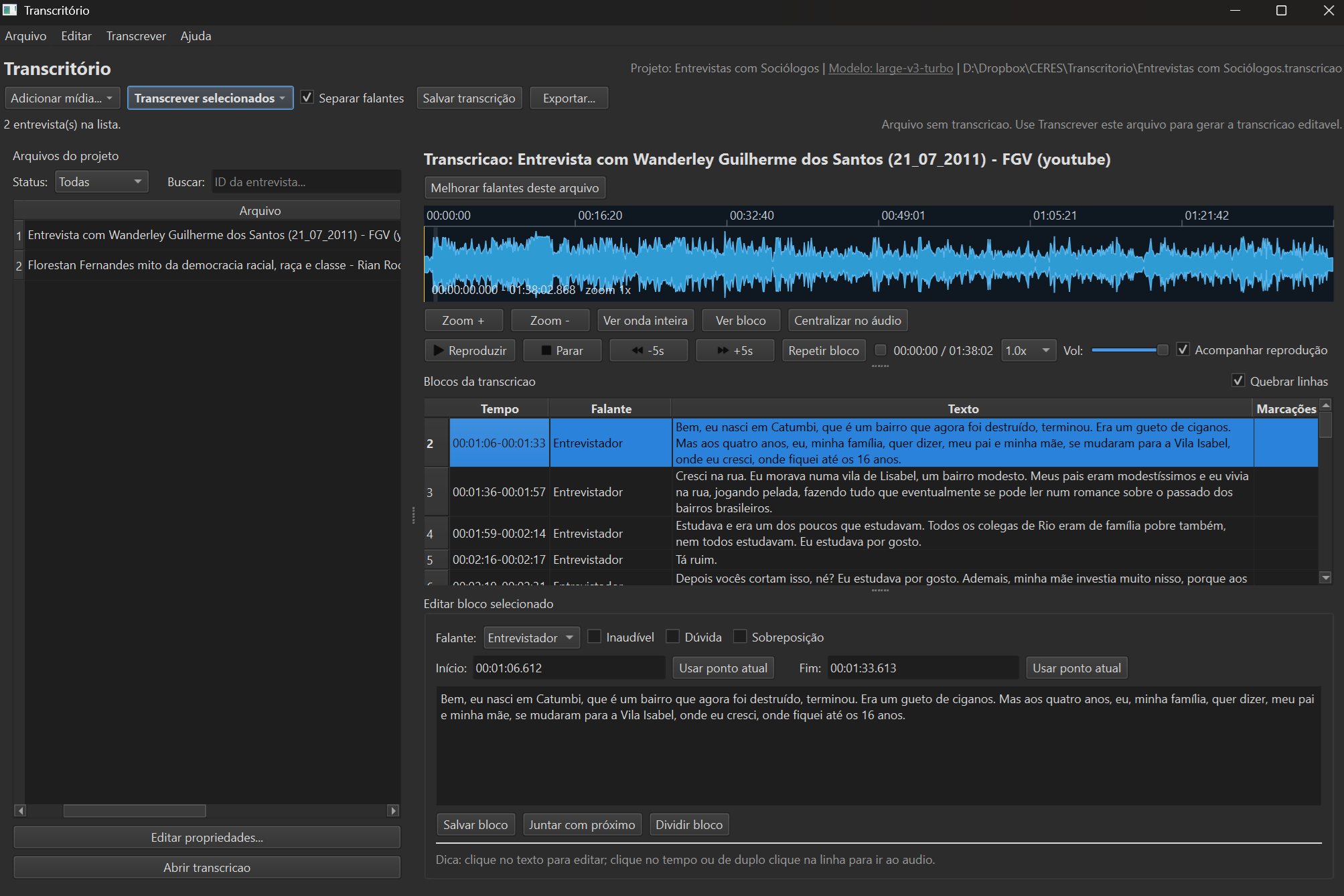
- 100% local, no cloud
- Automatic speaker separation
- Native Brazilian Portuguese
- Waveform-synced editor
- Summaries, name glossary and search — on-device AI
- Speaker changes verified against the audio
- Multi-format export
- Free and open-source
How your working hours change
Without Transcritório
- 8–10 hours manually transcribing a 1-hour interview.
- Uploading confidential audio to foreign company servers.
- R$ 100–300/month for online transcription services.
- Labeling speakers by hand, line by line.
- Explaining to the ethics board why audio went to the cloud.
With Transcritório
- Minutes of processing with a GPU (or with the TAGARELA engine), then just review.
- Audio never leaves your computer.
- Zero cost, forever. Open-source under MIT license.
- Speakers auto-identified and renamable in one click.
- Ready-to-paste text for your research protocol (right below).
Privacy by design, not by promise
- 100% local processing: interview audio never reaches external servers.
- No data collection, no telemetry: no signup or login required.
- Open-source under MIT license: auditable by anyone.
- Compatible with GDPR/LGPD and IRB requirements: full control over informant's audio.
Everything a qualitative researcher needs

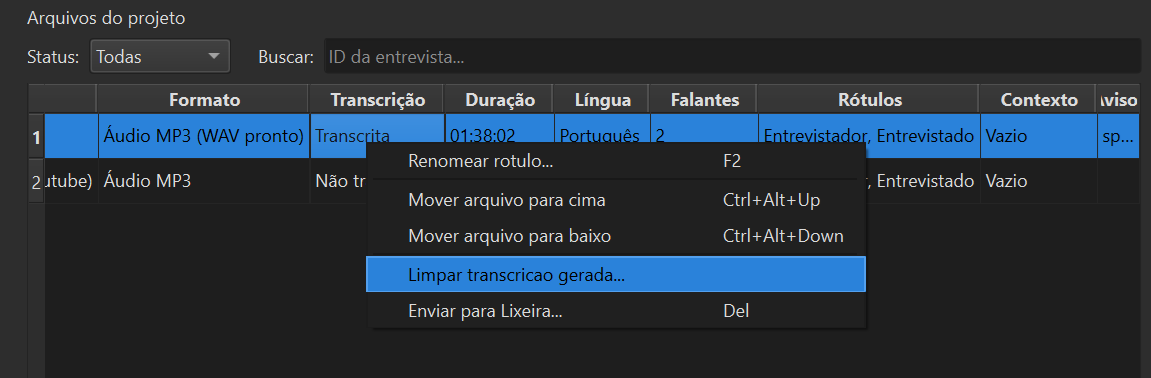
Project file manager
All of your project's audio files in a single screen, with visual status for every stage: not yet transcribed, queued, done, reviewed. You keep track of an entire project — dozens of interviews — without losing the thread of your work.
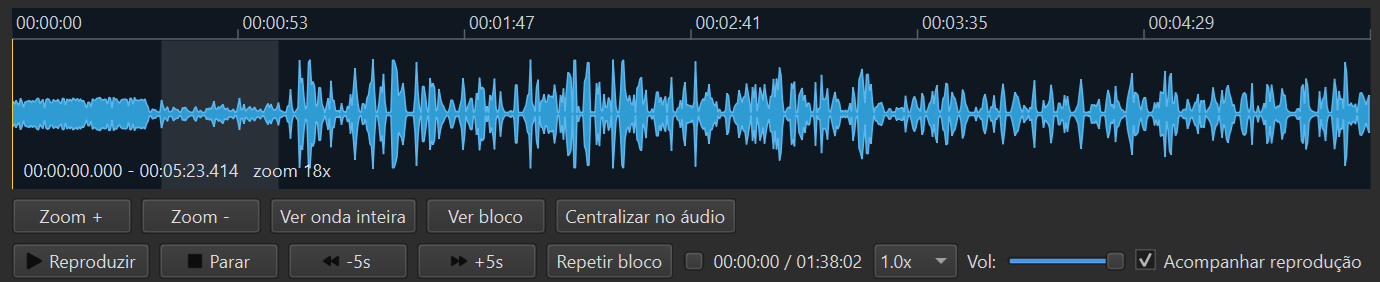
Side-by-side audio review
Listen and correct at the same time. Each transcribed segment is anchored to the exact audio timestamp, and one click takes you there. Researchers review in about a third of the time it would take in a plain text editor.
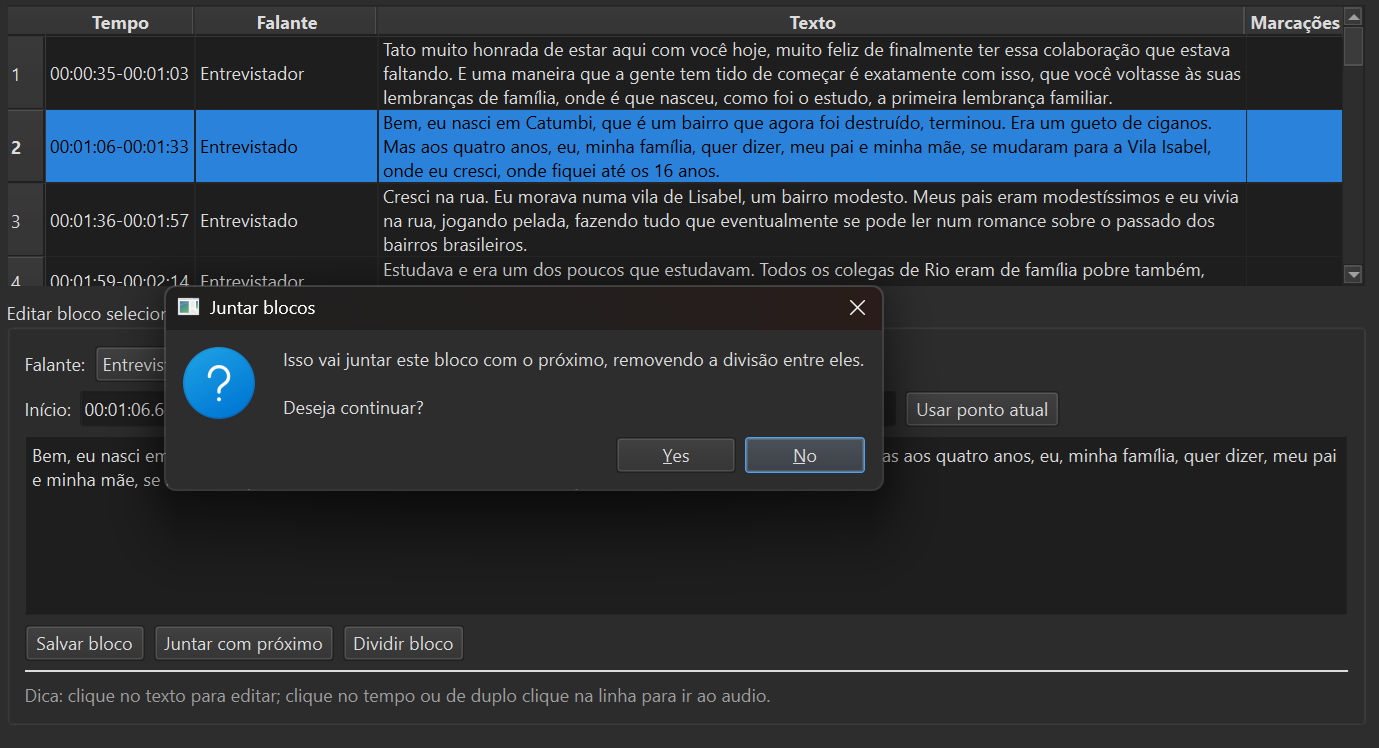
Turn editor with waveform
The waveform visually shows silences, overlaps, and speaker changes. Adjust segment boundaries, merge or split blocks with a click — useful for fast-paced or frequently interrupted interviews.
Analysis-ready turn table
Your transcript is organized into speaking turns with time and speaker metadata. Export to DOCX, MD, SRT, VTT, CSV, TSV or NVivo — and import straight into NVivo, Atlas.ti, MAXQDA, or an R/Python script.
And version 0.2 added an entire analysis studio:
- ✨ Summary with thematic index — the on-device AI reads your reviewed interview and returns a structured summary of the themes and where they appear. Nothing leaves your computer.
- ✨ Name glossary + spelling review — the AI sweeps the entire project for people, places and institutions mentioned, groups spelling variants ("Joao", "João", "Jono") and opens a review where you decide, occurrence by occurrence — with the correct spelling editable and one click to hear the passage before deciding.
- ✨ Search by meaning and ask — write a plain-language question ("what do the interviewees say about school?") and get the passages that address it, even without the exact words. This works on any computer. With an NVIDIA card, the AI also writes an answer citing those passages.
- 🔍 Acoustic verification of speaker changes — after voice separation, the app checks every change against the audio itself and flags the doubtful ones at the exact spot, with direct navigation between flags.
- Two transcription engines — NVIDIA's Parakeet pt-BR "TAGARELA" (trained on spoken Brazilian Portuguese; the default on every machine — one hour of audio in a few minutes, even CPU only) and Whisper (the fallback for other languages). Recordings in 15 other languages transcribe too, with word-level timestamps (16 alignment packs, including Portuguese).
- Documents tab — everything the app produces (final transcript, subtitles, summary, glossary, earlier versions) in a single tab, with dates and an open button. No more hunting through folders.
How to use it, in four steps
- 1
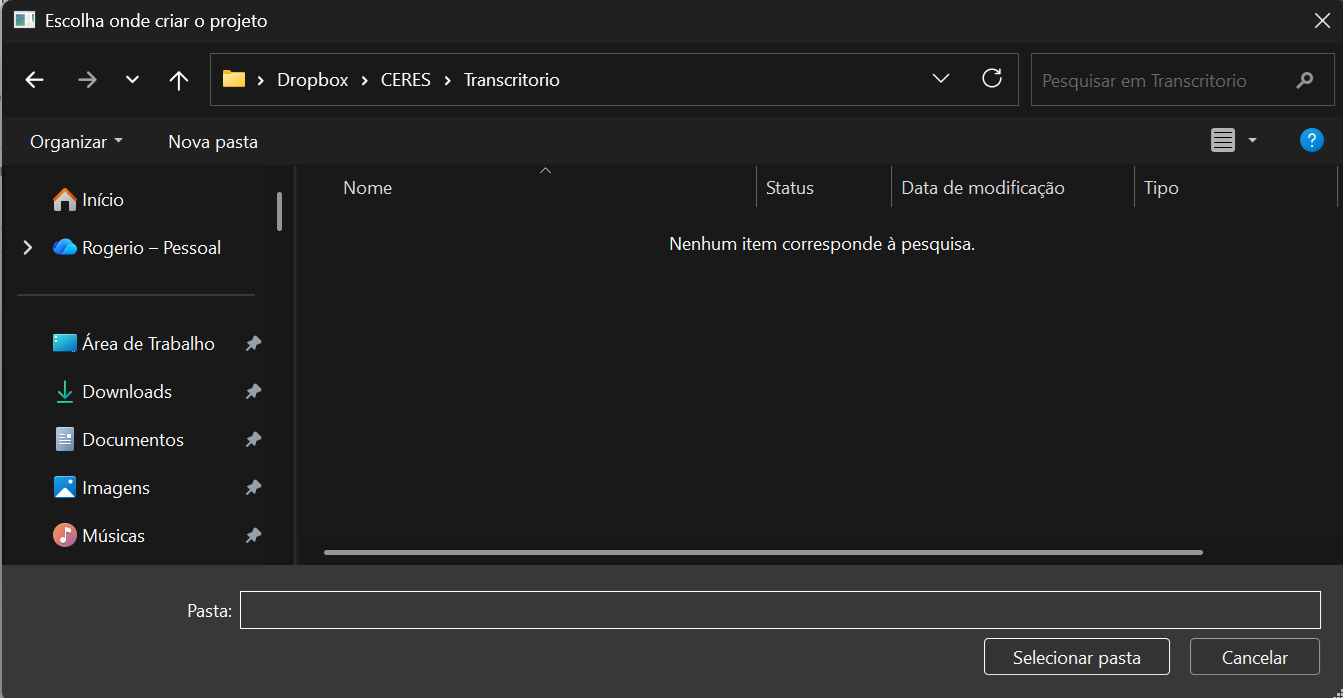
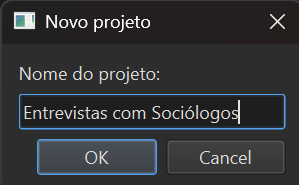
Create a project
Pick a name for your project and a folder where files will be organized. Transcritório creates the folder structure for you.
- 2
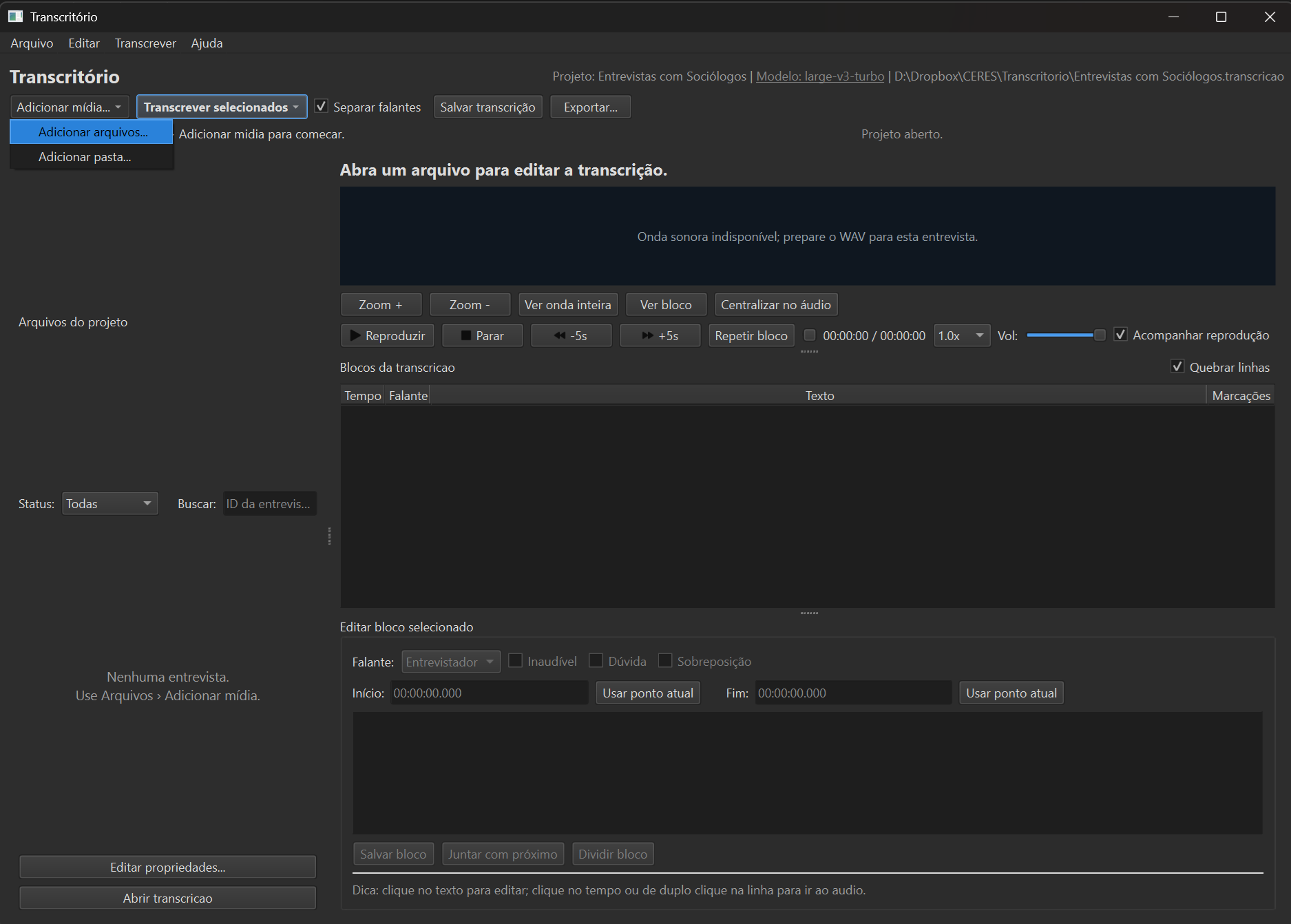
Add audio or video files
Drag your files into the window. MP3, WAV, M4A, MP4 and other common formats are supported.
- 3
Click transcribe
Transcritório asks how many people speak (one-on-one interview? focus group?) and does the rest. Times are in the requirement cards below: a few minutes with the TAGARELA engine (the default), with or without a graphics card; about the audio's own length if you pick Whisper on CPU.
- 4
Review in the Studio and export
When you open the transcript, Transcritório plays a sample of each voice and asks who it is — the names (Interviewer, Joana, Pedro…) apply to the whole transcript. Then adjust segments and export in your preferred format.
Installing on your system
The old installers (.exe/.dmg/AppImage) were discontinued: without commercial code signing they were blocked by antivirus software on many machines. The current format uses only components signed by their official distributors (Microsoft, Astral, PyPI) — no security warnings and no admin password.
🪟 Windows 10/11
No terminal (recommended): download Instalar-Transcritorio.bat and double-click it. It installs everything on its own, shows progress and opens the program when done — if Windows asks "Do you want to run this file?", confirm (the script is public and auditable; it only installs from official sources). To update later: Atualizar-Transcritorio.bat.
Or, from the Command Prompt (Start menu → type cmd → Enter):
- Install the base tools:
winget install astral-sh.uvthenwinget install Gyan.FFmpeg. - Close and reopen Command Prompt, then install Transcritório:
uv tool install --python 3.12 transcritorio - Open it with the
transcritoriocommand — a desktop shortcut is created on first run. - Optional (NVIDIA GPU): for up to 9× faster transcription, use the app menu Tools → Install NVIDIA acceleration (CUDA)…, which shows the ready-to-run command (~2.5 GB download).
🍎 macOS
- In Terminal (with Homebrew):
brew install uv ffmpeg - Install Transcritório:
uv tool install --python 3.12 transcritorio - Apple Silicon (M1/M2/M3/M4): use
uv tool install --python 3.12 "transcritorio[mac]"to transcribe with Metal acceleration (look for theMotor: MLX (Metal)badge). - Open it with the
transcritoriocommand. No Gatekeeper: there is no app bundle to "authorize" — the program runs in your user profile.
🐧 Linux
- In the terminal:
curl -LsSf https://astral.sh/uv/install.sh | shandsudo apt install ffmpeg(Ubuntu/Debian; use your distro's package manager). - Close and reopen the terminal, then install:
uv tool install --python 3.12 transcritorio - Open it with the
transcritoriocommand. - Optional (NVIDIA GPU): use the app menu Tools → Install NVIDIA acceleration (CUDA)… (~2.5 GB download).
Primary support: Windows 10/11. macOS and Linux install through the same channel but have not yet been field-tested — if anything fails, open an issue. To update later: uv tool upgrade transcritorio (or Atualizar-Transcritorio.bat). To uninstall: uv tool uninstall transcritorio — projects and transcripts remain untouched.
Test version beta 0.3.0b1
There is a test version, for anyone who wants to try what is coming next and help find problems. It does not replace the stable version: it installs alongside it, and both can be open at the same time — the test version says so in its window title.
Under test: semantic search was rebuilt (precision of the top 5 results rose from 0.48 to 0.67 on a hand-judged benchmark) and became a single gesture, “Search by meaning and ask” — passages in seconds on any computer, and a written answer citing them where there is an NVIDIA card. A new Interview themes feature groups the passages of every interview by meaning, lets you code them (one or more codes per passage, or every theme at once) and export to QualiLab or to a spreadsheet. For interviews and focus groups, the program asks which speakers count — you usually do not code the person asking. The Transcription Studio gained keyboard shortcuts for the whole review cycle (listen, go back, fix, merge, move on) and a "Merge with previous" button.
Download Instalar-Beta.bat Windows — double-click it. Reuses the models you already downloaded.
This is a version to test: it may have defects, and the QualiLab export has not yet been validated by opening the file in QualiLab itself. Your projects and transcripts are not modified. To remove it, delete the folder %LOCALAPPDATA%\Transcritorio\beta-venv. Full notes · Report a problem
Requirements, by install profile
The first-run wizard examines your machine and suggests the right profile — nothing is forced on you. Measured numbers; times on an 8-core CPU (on 4 cores, expect roughly double).
- Transcription only (compact model)
- Machine: 2+ cores, 4 GB RAM
- Disk: ~6 GB
- 1h of audio in a few minutes with the TAGARELA engine (the default); ~1h if you pick Whisper instead.
- + speaker separation and word-level timestamps
- Machine: 4+ cores, 8 GB RAM
- Disk: ~7.5 GB (CPU) / ~10 GB (with NVIDIA GPU)
- Transcription in minutes (TAGARELA); speaker separation takes ~4 min (24-thread machine) to ~22 min (4 threads) per hour of audio on CPU — and can be done later; about 1 min per hour with a 4 GB+ NVIDIA GPU.
- + on-device AI analysis (summary, glossary, ask)
- Machine: NVIDIA GPU 6 GB+ VRAM, 16 GB RAM
- Disk: ~20 GB
- 1h of audio in 5–10 min; analyses in seconds to minutes.
The AI behind it
(technical details)
When you click Transcribe, a multi-stage pipeline runs entirely on your computer: FFmpeg prepares the audio (16 kHz, mono); the transcription engine turns speech into text with word-by-word timing; pyannote works out who speaks in each segment; Transcritório's own acoustic verification compares every speaker change against the audio itself and flags the doubtful ones; and the text becomes editable blocks in the Studio. The analyses (✨) use a second brain, also local. Every piece below was chosen through comparative tests on real interviews — and the whole set is watched over by more than a hundred automated tests.
Whisper (OpenAI) via WhisperX and faster-whisper
Transcription model trained on 680k hours of multilingual audio, with plenty of Portuguese. It is the fallback for recordings in other languages — Transcritório suggests large-v3-turbo with a GPU and small on CPU, and warns about the quality difference — run via faster-whisper (CTranslate2), with WhisperX's word-by-word alignment. On Apple Silicon, the same Whisper runs on Metal via mlx-whisper.
Parakeet pt-BR "TAGARELA" (NVIDIA)
An engine trained specifically for Brazilian Portuguese — and, since v0.2.5, the default on every machine (per its authors, on spontaneous speech it gets fewer words wrong than Whisper large-v3). Running via onnx-asr, it transcribes 13× to 25× faster than real time even without a graphics card — one hour of interview in a few minutes on an ordinary laptop, with native punctuation and word-level timestamps. Portuguese only: for other languages the app warns and offers a Whisper fallback.
pyannote.audio (speaker separation)
Neural networks that cluster similar voices across the interview to say who spoke in each segment — solid up to 6–8 participants. On top of it, Transcritório's acoustic verification compares the voices on both sides of every change and flags suspicious ones with 🔍, at the exact spot in the audio.
Local analysis models ✨
Each task uses the model built for it, not one model for everything. Search by meaning and themes use a retrieval encoder (multilingual-e5) plus an optional reranker (bge-reranker) — small models that run on any computer, graphics card or not. The name glossary uses GLiNER, specialized in finding people, places and institutions in text, also on the CPU. Only what has to write — the summary with thematic index, the answer citing passages, and AI-given theme names — uses a language model (Qwen) in a dedicated environment inside the app, and that one needs an NVIDIA card. All offline — your interviews never become anyone's "training data".
100% local processing
The whole stack runs on PyTorch, with a Qt interface and installation managed by uv. No audio, text, or metadata ever leaves your machine. First use downloads the models for your chosen profile (once); after that, the app works without the internet.
Frequently asked questions
Do I need the internet to use it?
Only for installation and first use, to download the program (~2.5 GB) and the models for your chosen profile (from ~3.5 GB on Essential to ~5 GB on Standard; the Full profile's AI analysis adds another ~10 GB). After that, Transcritório works fully offline — no audio ever leaves your machine.
How accurate is the transcription?
On clean Brazilian Portuguese audio, accuracy ranges from 90% to 96% of words correct. Human review remains recommended, especially for technical terms, proper names and noisy passages.
What about interviews with strong regional accents?
Whisper large-v3 was trained with wide dialectal variation in Portuguese and handles Brazilian regional accents well. Accuracy drops are usually small (2–4 percentage points) compared to standard Sao Paulo/Rio speech.
My institution's IT blocks software installs. What do I do?
Installation does not require admin privileges: uv installs Transcritório inside your user profile, and there is no downloaded executable — precisely what used to trigger antivirus blocks in the old format. If something is still blocked, request an IT exception citing the MIT license and public GitHub repo.
How do I cite Transcritório in a paper or thesis?
Barbosa, R. J. (2026). Transcritório: transcrição local de entrevistas em português brasileiro (v0.2.8) [Software]. IESP-UERJ/CERES.
@software{barbosa2026transcritorio,
  author    = {Barbosa, Rog{\'e}rio Jer{\^o}nimo},
  title     = {Transcrit{\'o}rio: transcri{\c{c}}{\~a}o local de entrevistas em portugu{\^e}s brasileiro},
  year      = {2026},
  version   = {0.2.8},
  publisher = {IESP-UERJ/CERES},
  license   = {MIT},
  url       = {https://github.com/antrologos/Transcritorio}
}
Do I need a Hugging Face token for the models?
Only if you want automatic speaker separation: the pyannote model requires accepting its terms on the Hugging Face website (free), and the first-run wizard walks you through it. For transcription only, no account or token is needed — pick "transcribe only" in the wizard.
Does it work with interviews in other languages?
Yes. The focus is Brazilian Portuguese, but Transcritório transcribes 15 other languages with word-level timestamps (Spanish, English, French, German, Italian and more — each language downloads its own alignment pack), plus an optional multilingual pack (MMS, non-commercial use) that extends word-level timestamps to over a thousand additional languages. The language is chosen per file, in the Properties tab.
Is the app's interface in English?
Not yet — the interface is in Brazilian Portuguese, the project's home audience. On this page, menu names are translated for readability (Tools = Ferramentas; Documents = Documentos; Properties = Propriedades). Transcription itself supports the languages listed above.
Does the progress bar look stuck at "speaker separation"?
Without a graphics card, that is the slow stage: ~4 minutes (24-thread machine) to ~22 minutes (4 threads) per hour of audio (transcription itself takes minutes with TAGARELA; with a graphics card separation takes about 1 minute per hour). Since v0.2.3 the bar shows real progress and a time estimate — and when you click Transcribe you can untick "Separate speakers now": the text is ready in minutes and the list offers to add the voices later, in a batch.
Can I transcribe focus groups with many participants?
Yes, it works well with up to 6–8 speakers. When transcribing, pick the "Focus group" preset when the app asks how many people speak; in review, each voice gets a color, and the "Whose voice is this?" dialog plays samples of each participant so you can name them. Beyond that, separation starts mixing similar voices — review labels in the editor.
Is the code really open? Can I audit it?
Yes. All source code is published on GitHub under MIT license. Anyone can read, modify, redistribute and verify the app's behavior.